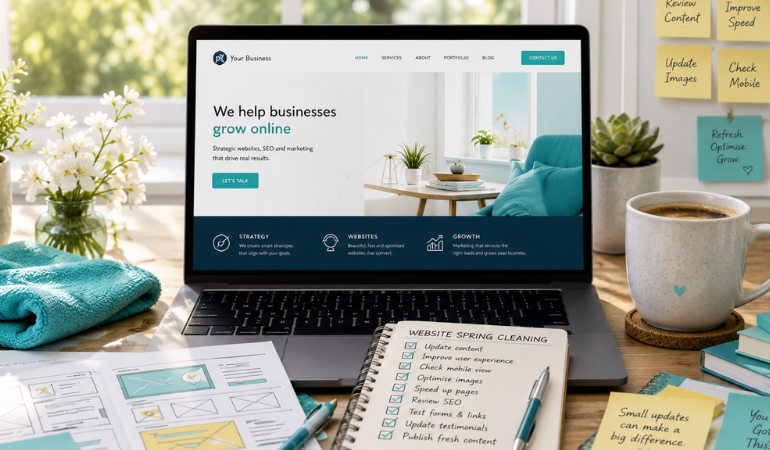
How to Spring-Clean Your Website Without Rebuilding Everything
Spring has a way of making us notice the things we’ve been ignoring. The cupboard that needs organising. The office that has quietly collected clutter. The marketing plan that has become a little outdated.
Your website is no different.
For many businesses, the first instinct is to assume the website needs a complete redesign. While that is sometimes true, it is often unnecessary. In many cases, a well-planned website spring cleaning can improve performance, create a better customer experience and generate more enquiries without the cost and disruption of rebuilding everything from scratch.
A website spring cleaning is the process of reviewing and updating your existing website so it remains accurate, fast, relevant and effective. Instead of replacing your entire site, you focus on improving the areas that matter most to visitors and search engines.
If your website is a few years old, this guide will help you identify practical improvements that deliver meaningful results.
Why Your Website Deserves a Seasonal Refresh
Your website is often the first impression people have of your business. Unlike a printed brochure, it is not something you create once and forget about.
Products change. Services evolve. Team members come and go. Customer expectations shift. Search engines continue to refine how they evaluate websites.
Even if your website still looks attractive, outdated information or a poor user experience can quietly reduce enquiries and sales.
A seasonal review helps you:
- Keep information accurate
- Improve customer confidence
- Support better search visibility
- Increase enquiries and conversions
- Create a better experience across desktop and mobile devices
The goal is continuous improvement rather than constant redesign.
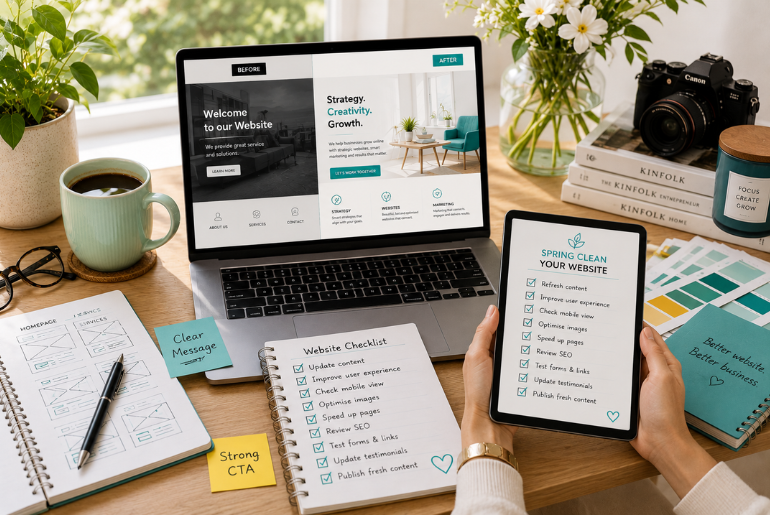
Start With an Honest User Experience Review
Before making changes, spend a few minutes using your website like a first-time visitor.
Ask yourself:
- Can I immediately understand what this business does?
- Is it obvious who the business helps?
- Can I easily find pricing, services or contact information?
- Does every page load quickly?
- Would I trust this business based on what I see?
Better still, ask someone outside your business to spend five minutes on your website and observe where they become confused.
Business owners often know their websites too well to notice the small frustrations customers experience.
Refresh Your Homepage Message
Many homepages slowly become overloaded with outdated messaging.
Instead of trying to say everything, focus on communicating three things clearly within the first few seconds:
- What you do
- Who you help
- What visitors should do next
Avoid generic statements such as “We provide quality solutions” or “Your trusted partner.”
Instead, explain your value in language your customers actually use.
For example:
Instead of:
“Welcome to our website.”
Consider:
“Helping South African businesses generate more leads through strategic digital marketing, websites and advertising.”
Clear messaging helps both visitors and search engines understand your business.
Update Your Services and Content
Businesses often expand their services without updating their websites.
Review every service page and ask:
- Is this service still offered?
- Have prices or processes changed?
- Are there new services missing?
- Are there better examples or case studies available?
- Does the content answer common customer questions?
Removing outdated information can be just as valuable as adding new content.
If you regularly publish blogs, review older articles as well. Updating statistics, screenshots, examples and internal links can improve their usefulness without writing entirely new posts.
Check Your Calls to Action
One of the simplest ways to improve your business website is to review every call to action.
Every important page should guide visitors towards a clear next step.
Examples include:
- Book a strategy session
- Request a quote
- Contact our team
- Download a guide
- View our services
Avoid making visitors wonder what happens next.
Strong calls to action are visible, relevant and easy to complete.
Improve Your Website Navigation
Navigation should feel effortless.
If visitors struggle to find information, they often leave rather than continue searching.
Look for opportunities to:
- Remove unnecessary menu items
- Group related services together
- Make contact information easier to find
- Reduce duplicate pages
- Ensure important pages are never more than a few clicks away
Simple navigation creates a smoother customer journey and supports better search engine crawling.
Review Your Contact Information
This sounds obvious, yet many businesses forget to update their contact details.
Check every page for:
- Phone numbers
- Email addresses
- Physical addresses
- Trading hours
- Contact forms
- Google Maps integration
- Social media links
If you have multiple locations, ensure each location has accurate information.
For South African businesses, keeping contact details consistent across your website and your Google Business Profile also supports local SEO.
Speed Up Your Website
Visitors expect websites to load quickly.
A slow website can increase bounce rates and reduce conversions.
Without rebuilding your website, you can often improve performance by:
- Compressing large images
- Removing unused plugins
- Updating your CMS and plugins
- Enabling browser caching
- Reviewing your hosting plan
- Eliminating unnecessary animations
Even small speed improvements create a noticeably better user experience.
Google also considers page performance as one of many signals when evaluating websites.
Optimise for Mobile Users
Most business websites now receive a significant portion of their traffic from mobile devices.
Open your website on your own phone and check:
- Is text easy to read?
- Are buttons large enough to tap?
- Does the layout adapt properly?
- Are forms easy to complete?
- Are images displaying correctly?
A website that works beautifully on desktop but poorly on mobile creates unnecessary friction for potential customers.
Replace Outdated Images
Visual content has a major influence on trust.
Review your images and remove:
- Low-resolution photos
- Generic stock photography that feels impersonal
- Outdated team photos
- Old office images
- Products or services you no longer offer
Where possible, replace them with authentic photography of your business, team, products or customers.
Original imagery helps your brand stand out and builds credibility.
Check Your SEO Foundations
A website spring cleaning is also an opportunity to strengthen your search visibility.
Review:
- Page titles
- Meta descriptions
- Heading structure
- Internal links
- Broken links
- Image alt text
- Keyword relevance
- Duplicate content
You do not need to obsess over every technical detail.
Instead, focus on making every page genuinely useful, well organised and easy to understand.
This also improves your visibility in AI-powered search experiences that favour clear, trustworthy content.
Add Helpful Content That Answers Questions
One of the easiest ways to improve your business website is to answer the questions customers ask every day.
Consider adding:
- Frequently asked questions
- Buying guides
- Service comparisons
- Industry insights
- Process explanations
- Case studies
Helpful content positions your business as a trusted resource while naturally supporting SEO.
Instead of creating content purely for rankings, create content that genuinely helps customers make informed decisions.
Review Your Trust Signals
Visitors want reassurance before making contact.
Look for opportunities to include:
- Customer testimonials
- Google reviews
- Client logos
- Industry certifications
- Awards
- Before-and-after examples
- Portfolio projects
- Frequently updated blog content
These elements reduce uncertainty and help visitors feel more confident about choosing your business.
Create a Seasonal Website Maintenance Routine
Rather than waiting several years between redesigns, build a habit of reviewing your website every season.
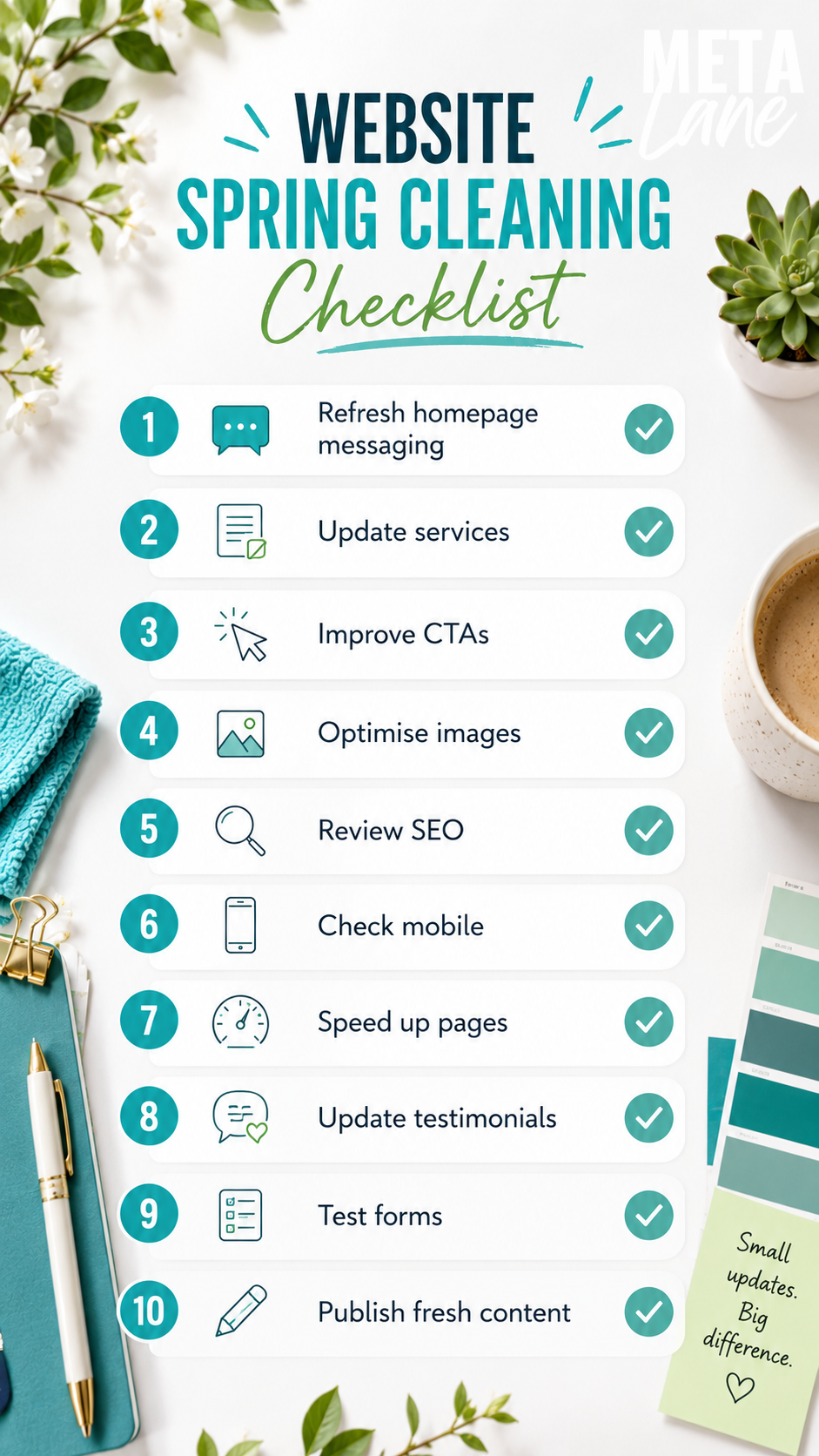
A simple quarterly checklist might include:
- Update content
- Test all forms
- Review analytics
- Check broken links
- Refresh images
- Publish a new blog
- Test website speed
- Review calls to action
- Update testimonials
- Check mobile usability
Small improvements made consistently are usually more effective than occasional large-scale rebuilds.
When a Full Website Rebuild Actually Makes Sense
While many websites only need refreshing, there are situations where rebuilding is the better investment.
A redesign may be worthwhile if:
- Your website is no longer mobile-friendly.
- The design no longer reflects your brand.
- The platform is outdated or unsupported.
- Pages are difficult to manage.
- Performance issues cannot be resolved.
- Your business has fundamentally changed.
The key is making that decision based on business goals rather than simply wanting something that looks new.
Frequently Asked Questions About Website Spring Cleaning
What is website spring cleaning?
Website spring cleaning is the process of reviewing and improving your existing website by updating content, fixing usability issues, improving performance and ensuring information remains accurate without building an entirely new site.
How often should I update my business website?
Most businesses benefit from reviewing their websites at least once every quarter. Small updates made regularly help keep your website relevant, accurate and competitive.
Do I need a completely new website every few years?
Not necessarily. Many websites continue performing well for years when they receive regular maintenance, updated content and ongoing optimisation.
Does updating my website help SEO?
Yes. Refreshing content, improving internal links, fixing broken pages and keeping information current can all contribute to better search performance when combined with sound SEO practices.
What is the easiest way to improve a business website?
Start with the basics. Improve your messaging, update outdated content, simplify navigation, optimise images, strengthen your calls to action and ensure the website performs well on mobile devices.
A Fresh Website Often Starts With Small Changes
A successful website is rarely the result of one major redesign.
It is usually the product of dozens of thoughtful improvements made over time.
Refreshing your messaging, improving usability, updating content and keeping your website technically healthy can have a significant impact on customer confidence and business growth.
Before committing to an expensive rebuild, take the time to evaluate what you already have. You may discover that a strategic website spring cleaning delivers exactly the results your business needs.
If you’re unsure where to begin, Meta Lane can help you identify practical improvements that make your website work harder for your business without rebuilding it from the ground up.